



文章最后更新时间:
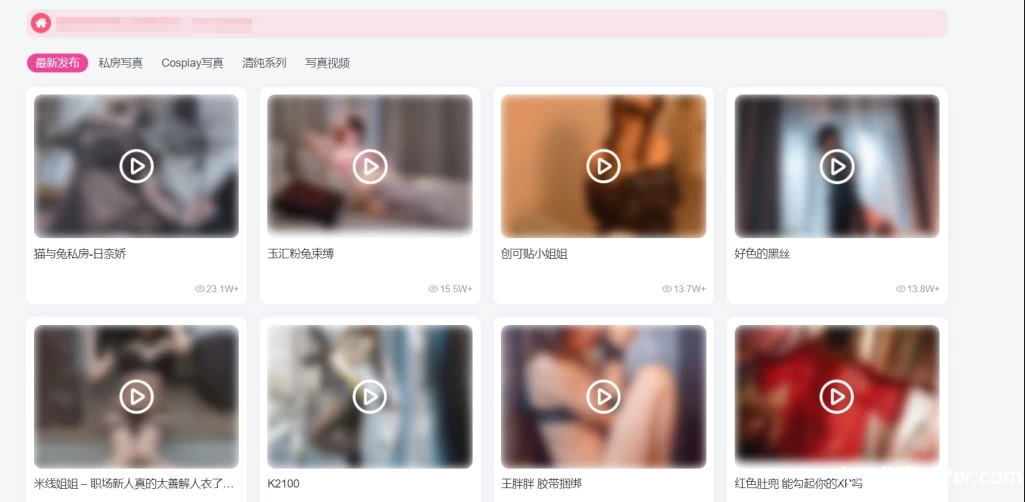
 添加位置
添加位置
WP后台—zibll主题设置—全局&功能—自定义CSS样式
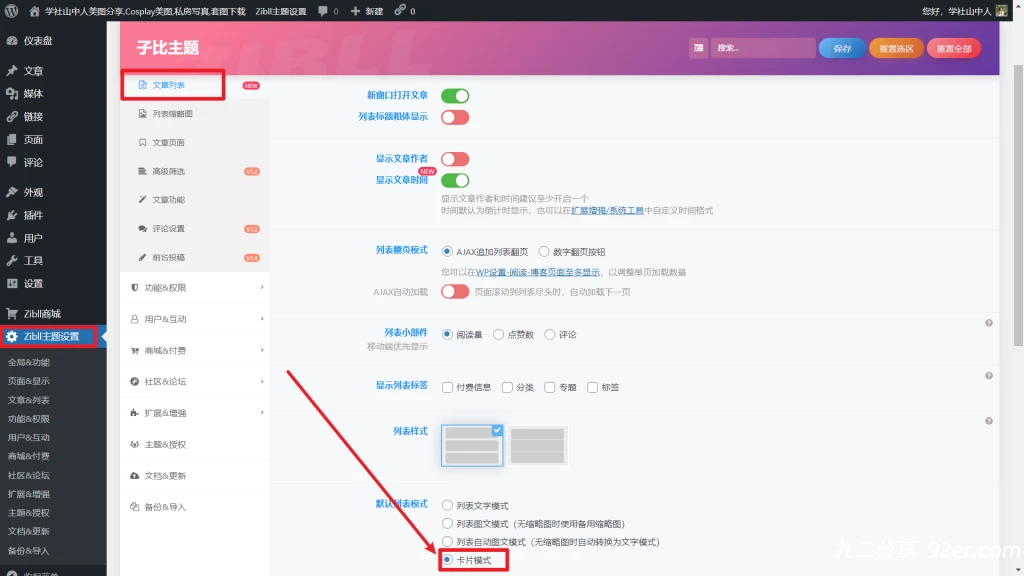
前提:子比主题文章开启卡片模式
代码如下:
.item-thumbnail {
    position: relative;
    overflow: hidden;
}

.item-thumbnail img {
    filter: blur(8px); /* 高斯模糊效果 */
    width: 100%;
    height: auto;
    transition: filter 0.3s ease;
}

.item-thumbnail:hover img {
    filter: blur(0); /* 鼠标悬停时取消模糊效果 */
}

.item-thumbnail::after {
    content: "";
    position: absolute;
    top: 50%;
    left: 50%;
    width: 50px;
    height: 50px;
    background-image: url('https://www.92er.com/wp-content/uploads/2025/10/20251007220510644-20251007220510602543.png';
    background-size: contain;
    background-repeat: no-repeat;
    transform: translate(-50%, -50%);
    pointer-events: none; /* 使图标不可点击 */
}
如何开启卡片模式:
WP后台—zibll主题设置—文章列表—默认列表模式,如下图所示
如何修改(二次修改)
https://www.92er.com/wp-content/uploads/2025/10/20251007220510644-20251007220510602543.png,可以替换成你的图标链接
其实的就看内容注释就能看明白了
© 版权声明
© 版权声明 All Rights Reserved
THE END


暂无评论内容