



文章最后更新时间:
美化样式一
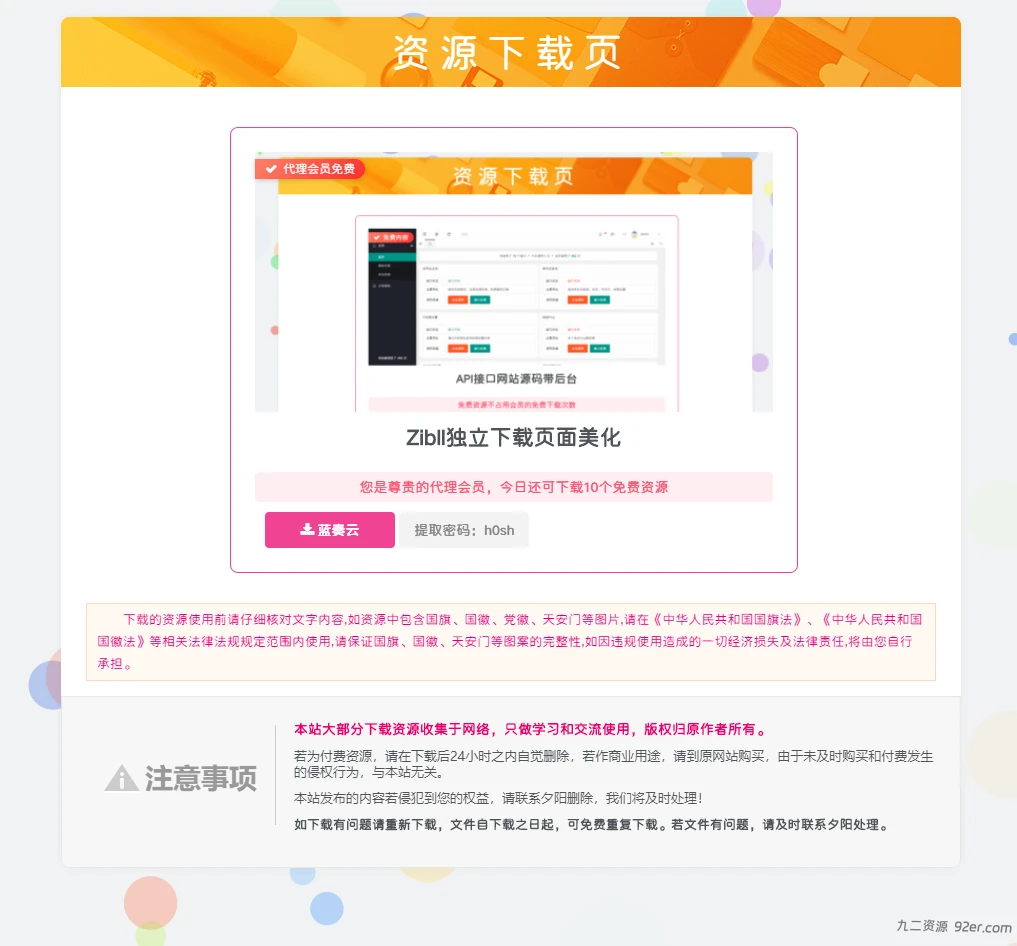
直接下载文件覆盖掉download.php即可(文件路径:/wp-content/themes/zibll/pages/download.php),更新前记得备份!
JS代码
<!--下载页面密码复制-->
if(document.querySelectorAll(".but-download .badg")!=undefined){
    const reg = /[a-zA-z0-9]/ig;
    const copy = document.querySelectorAll(".but-download .badg");
    for (let i = 0; i < copy.length; i++) {
      copy[i].index = i;
      copy[i].setAttribute("data-toggle", "tooltip");
      copy[i].setAttribute("data-original-title", "点击复制");
      copy[i].addEventListener("click", copyOperation);
    };
    function copyOperation() {
      var oInput = document.createElement("input");
      let text = this.innerText;
      text = text.match(reg).join("");
      oInput.value = text;
      document.body.appendChild(oInput);
      oInput.select();
      document.execCommand("Copy");
      oInput.className = "oInput";
      oInput.style.display = "none";
      this.setAttribute("data-original-title", "已复制");
    };
};
再套个点击复制密码功能吧!
下载地址
https://www.lanzoub.com/ioJH21qwkdjc
美化样式二
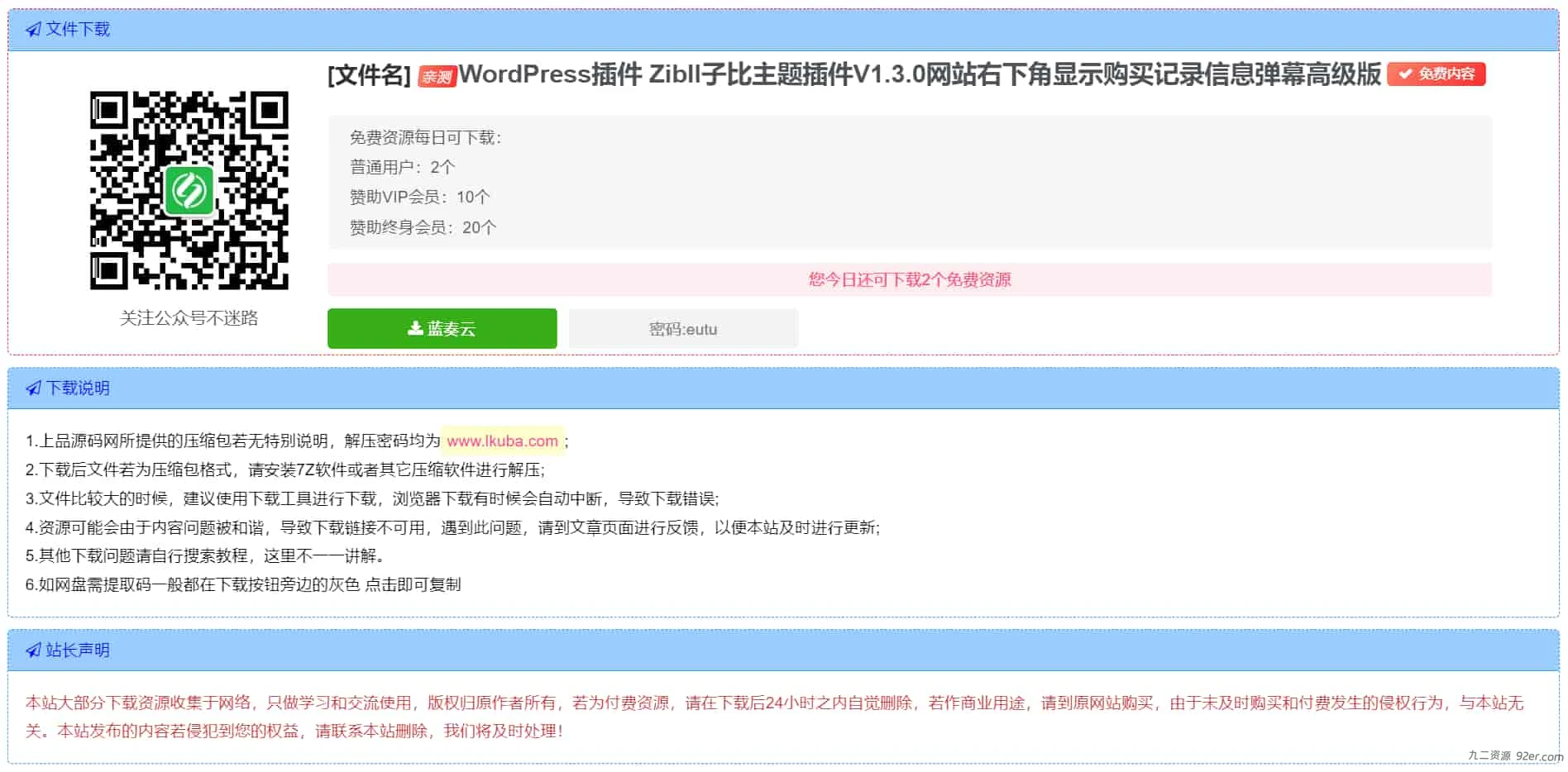
在子比主题设置-自定义代码-自定义CSS样式添加如下代码:
/*下载样式*/
.download-article{
    padding: 0 10px;
}
.download-demo{
   margin: 10px 0;
  border: 1px dashed red;
    border-radius: 5px;
}
.download-wiui{
  padding: 5px;
    display: flex;
    justify-content: center;
    align-items: center;
}
.download-sty{
      text-align: center;
    height: 100%;
}
.download-sty p{
    font-size: 15px !important;
    text-align: center;
    margin: 0;
}
.download-sty img{
width: 140px;
    height: 100%;
}
.download-theme-box{
    margin-bottom: 20px;
    display: inline-flex;
    flex-direction: row;
    align-items: center;
}
.download-right{
margin-left: 20px;
}

.download-file-name{
    font-size: 20px;
}
复制下面代码替换主题download.php文件中所有代码,
文件路径:你的网站/wp-content/themes/zibll/pages/download.php
代码中的图片以及文字部份自己看着改,注意:download.php里的代码是全部替换掉哈。
© 版权声明
© 版权声明 All Rights Reserved
THE END



暂无评论内容