



文章最后更新时间:
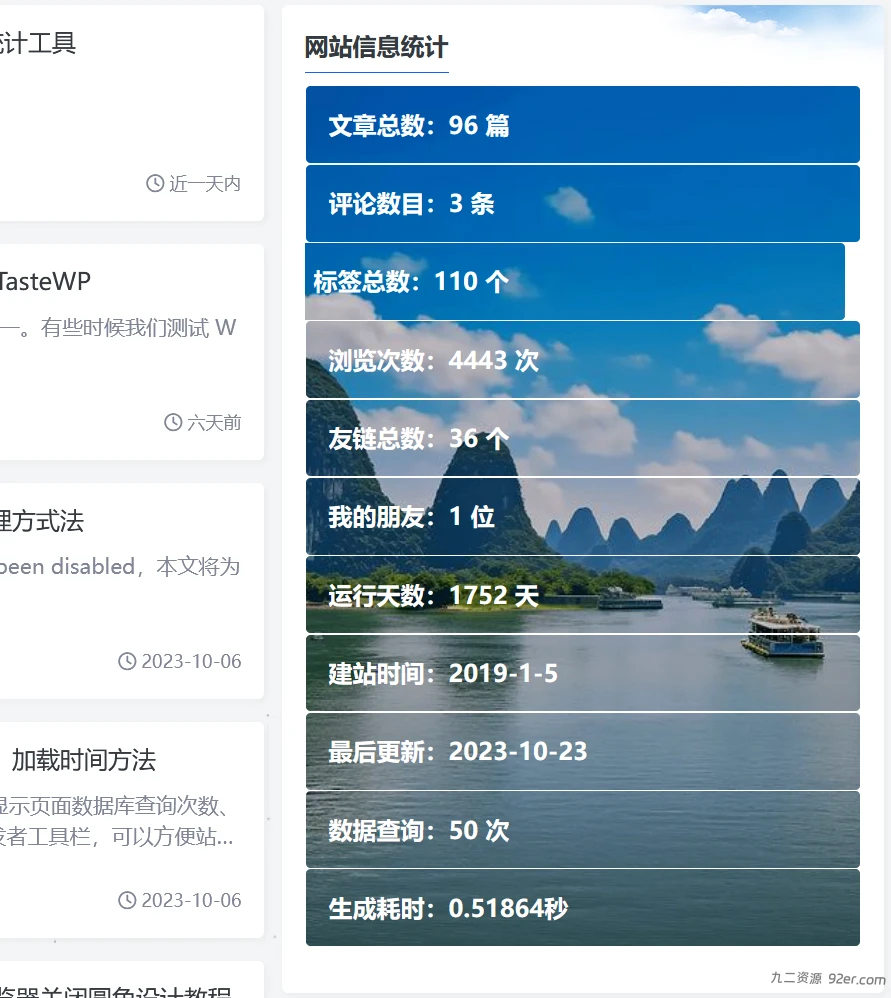
实现步骤和方法
1、在主题根目录下创建小工具widget-websiteinfo.php文件
在文件中写入以下内容
2、修改主题function.php文件,include_once(‘widget-websiteinfo.php’);
修改主题function.php文件,将widget-websiteinfo.php文件包含进来,使用include(widget-websiteinfo.php文件路径),或 include_once(widget-websiteinfo.php文件路径);个人建议使用include_once()函数;
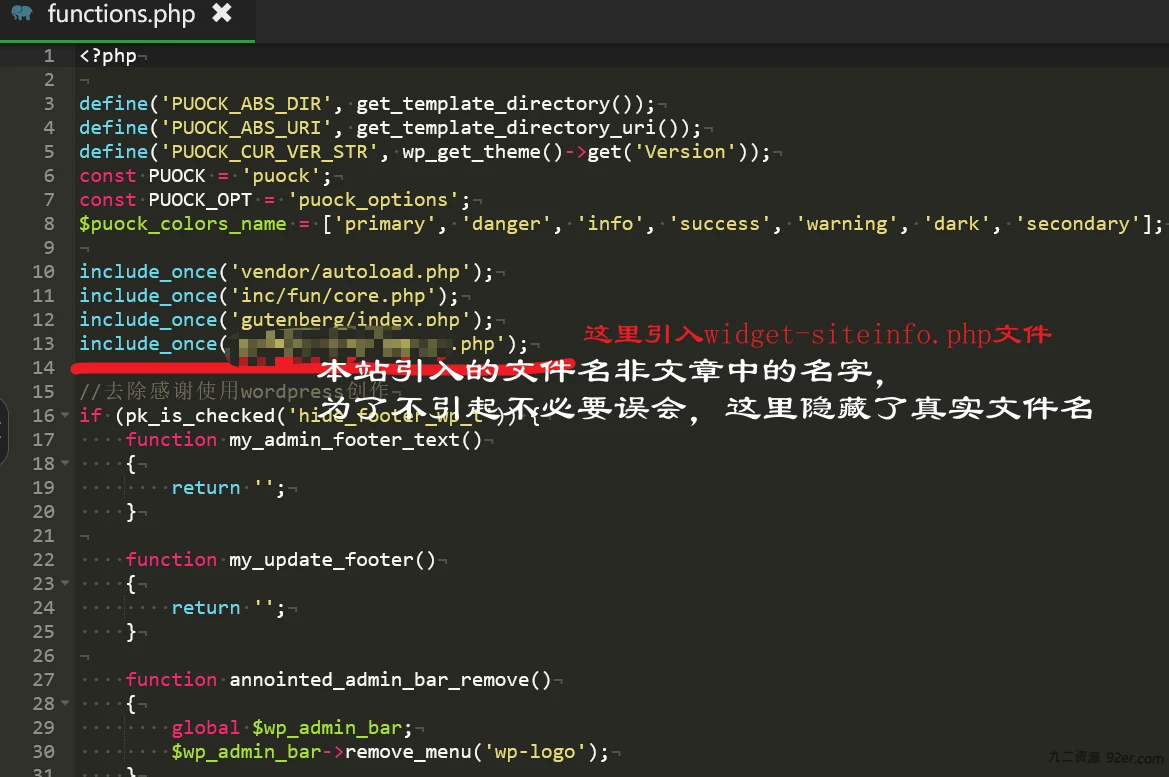
3、在网站后台—》主题设置—》自定义代码—》自定义 CSS 样式
主题没有自定义 CSS 样式的,在主题目录下 style.css 文件中添加也都可以。
/*网站统计小模块*/
.widget_Websitestat h3{font-weight:700;}

 .widgest-boys{overflow:hidden;}

.widgest-boys .widgest-bg{
    margin: 1px;
    background-size: cover;
    background-repeat: no-repeat;
    background-position: center center;
    cursor: pointer;
    border-radius: 3px;}

.widgest-boys .widgest-main{
    align-items: center;
	  place-content:flex-center space-around;
    display: flex;}

.widgest-boys .widgest-meat{
    display: block;
    margin-block-start: 1em;
    margin-block-end: 1em;
    margin-inline-start: 15px;
    margin-inline-end: 10px;
    color: rgb(255, 255, 255);
    font-weight: 700 !important;
    line-height: 1.2 !important;}

.widgest-bg:not(article){transition: all 0.2s;}
.widgest-bg:not(article):hover{transform: translatex(-10px);}

    /*图片路径设置*/
.widgest-bg1{background-image: linear-gradient(rgba(0, 0, 0, 0.2), rgba(0, 0, 0, 0.2)),url(https://blog.dreamren.cn/websitestat/1.jpg);}
.widgest-bg2{background-image: linear-gradient(rgba(0, 0, 0, 0.2), rgba(0, 0, 0, 0.2)),url(https://blog.dreamren.cn/websitestat/2.jpg);}
.widgest-bg3{background-image: linear-gradient(rgba(0, 0, 0, 0.2), rgba(0, 0, 0, 0.2)),url(https://blog.dreamren.cn/websitestat/3.jpg);}
.widgest-bg4{background-image: linear-gradient(rgba(0, 0, 0, 0.2), rgba(0, 0, 0, 0.2)),url(https://blog.dreamren.cn/websitestat/4.jpg);}
.widgest-bg5{background-image: linear-gradient(rgba(0, 0, 0, 0.2), rgba(0, 0, 0, 0.2)),url(https://blog.dreamren.cn/websitestat/5.jpg);}
.widgest-bg6{background-image: linear-gradient(rgba(0, 0, 0, 0.2), rgba(0, 0, 0, 0.2)),url(https://blog.dreamren.cn/websitestat/6.jpg);}
.widgest-bg7{background-image: linear-gradient(rgba(0, 0, 0, 0.2), rgba(0, 0, 0, 0.2)),url(https://blog.dreamren.cn/websitestat/7.jpg);}
.widgest-bg8{background-image: linear-gradient(rgba(0, 0, 0, 0.2), rgba(0, 0, 0, 0.2)),url(https://blog.dreamren.cn/websitestat/8.jpg);}
.widgest-bg9{background-image: linear-gradient(rgba(0, 0, 0, 0.2), rgba(0, 0, 0, 0.2)),url(https://blog.dreamren.cn/websitestat/9.jpg);}
.widgest-bg10{background-image: linear-gradient(rgba(0, 0, 0, 0.2), rgba(0, 0, 0, 0.2)),url(https://blog.dreamren.cn/websitestat/10.jpg);}
.widgest-bg11{background-image: linear-gradient(rgba(0, 0, 0, 0.2), rgba(0, 0, 0, 0.2)),url(https://blog.dreamren.cn/websitestat/11.jpg);}

/* 只有到11个图片,如果还有更多,可以再下面追加*/
/*  .widgest-bg12{background-image: linear-gradient(rgba(0, 0, 0, 0.2), rgba(0, 0, 0, 0.2)),url(../1/12.jpg);}     */
4、CSS文件中使用了11张图片,是使用一张图,切图实现的
切图可以使用ps软件实现,也可以用在线切图工具实现
在线切图地址:https://www.qtool.net/piccutting
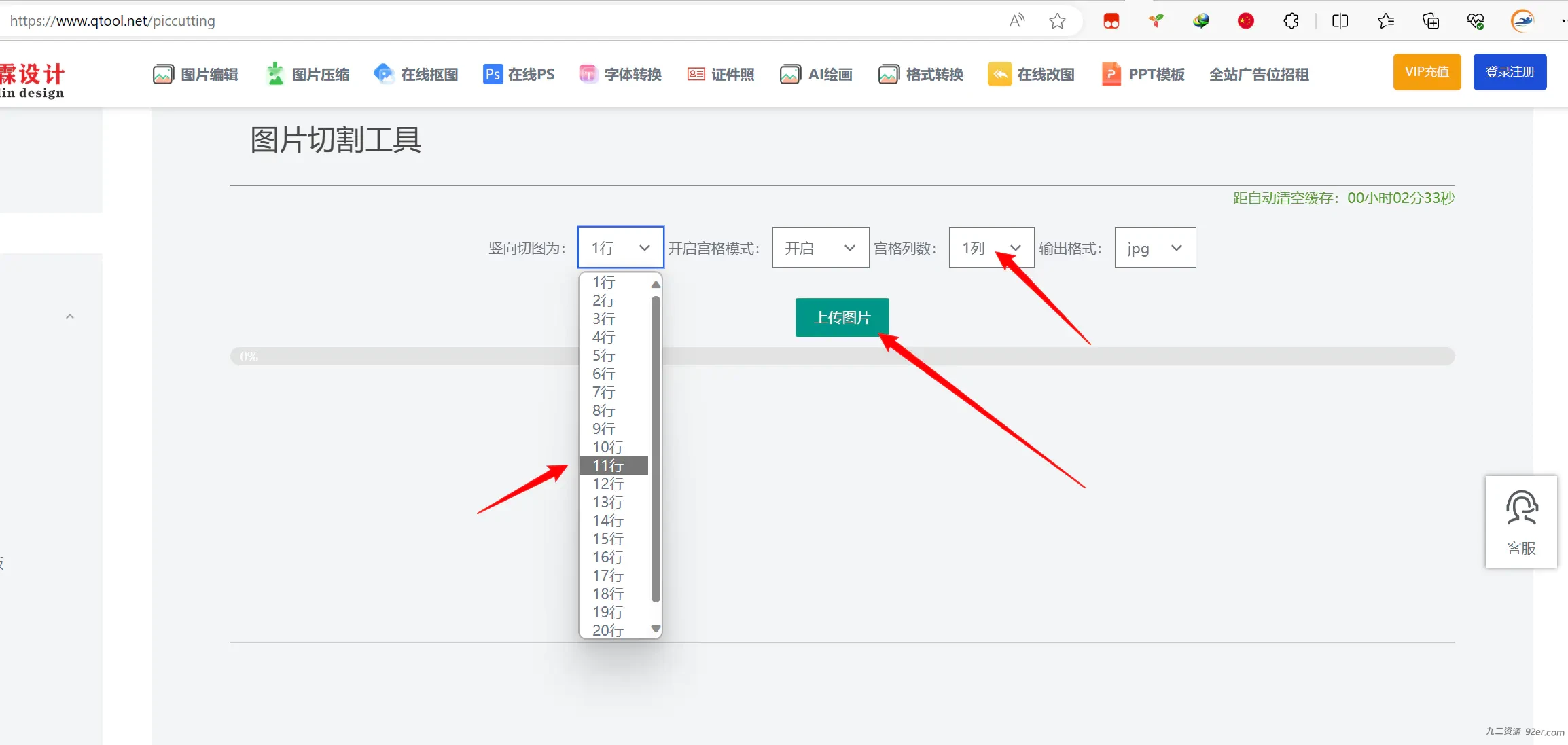
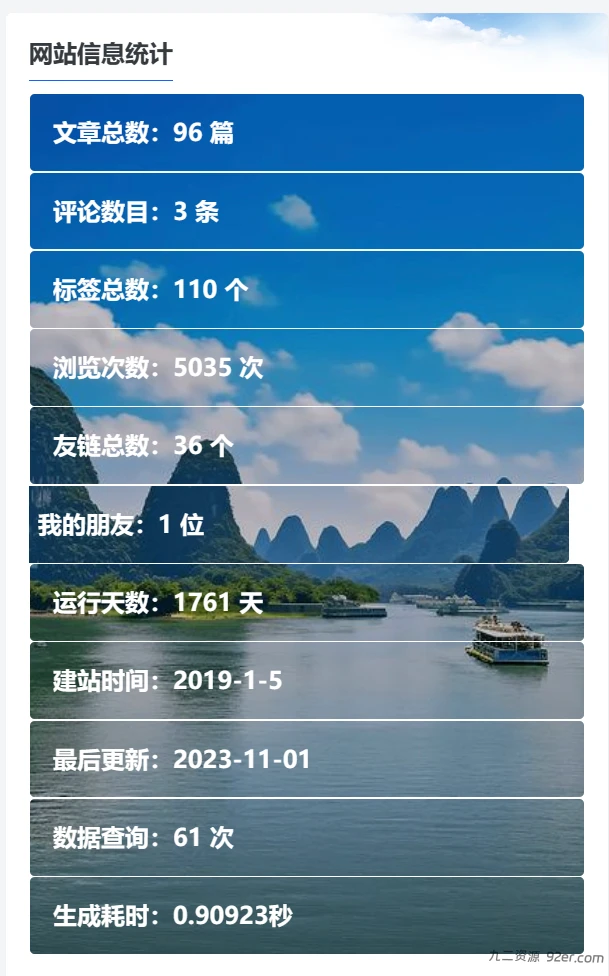
5、在网站后台—》外观—》小工具—》追梦◇网站统计,添加到页面侧边栏即可完成。

© 版权声明
© 版权声明 All Rights Reserved
THE END




暂无评论内容